
PC problems · Internet and screen time
Internet keeps disconnecting on PC? Find which side drops
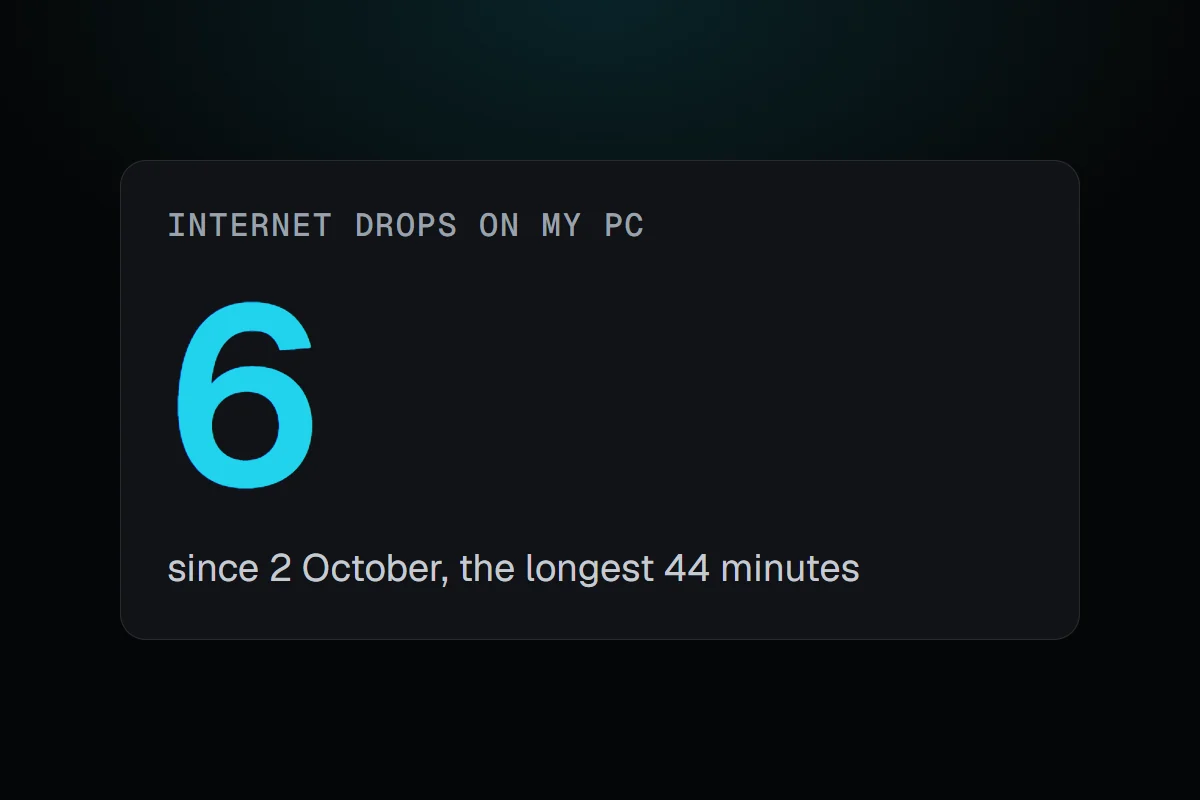
My PC lost the internet six times since October, once for 44 minutes, and every time the PC's own connection was fine. How RigSight tells you when the internet drops and which side it was, why it happens, and how to fix it on Windows 11.
The short answer
When your internet keeps disconnecting on PC, first find which side drops. If Windows shows the Wi-Fi or Ethernet itself as disconnected, look at the network card, its driver and its power saving. If the PC stays connected but has no internet, the router or the provider is the problem. Note the times, since a record helps when you call them.
Since October my PC has lost the internet six times. The longest was 44 minutes on the morning of 2 October, and two came within ten minutes of each other on 4 November. In every one, the PC's own connection to the network was fine. The internet went somewhere past it. When your internet keeps disconnecting on PC, that's the first thing to find out, because the fix for each side is different.
How RigSight caught it
RigSight watches the connection the same way the taskbar's network icon does, and checks it against what actually moved. A "drop" while apps were still downloading is Windows' check being wrong, so it doesn't count. Drops under 10 seconds don't count either, since Windows' own check flickers now and then. Neither does the first minute and a half after the PC starts or wakes, while the network is still coming up.
Each drop gets one of two kinds. Either the cable or Wi-Fi itself went, or the PC stayed connected and the internet went past it, at the router or the provider. All six of mine were the second kind. That rules out my network card, its driver and my cable in one go.
Since version 1.4.0 RigSight also tells you as it happens. Once a drop has lasted 15 seconds you get "Your internet is down", and when it comes back, how long it was gone. If the third drop comes within 10 minutes, you get one "Your internet keeps dropping" instead of a pile of notices. RigSight also pings your router every 5 seconds. During a drop where the router still answers, the notice says "Your router is reachable, but there's no internet connection". That points straight at the provider or the line into your home. You can turn the alerts off with Internet drop alerts in Settings.
On the Network page, a strip under the graph shows when the internet was up and when it dropped, with Windows' own icon for each kind. Every drop is also listed under What happened, so you have the dates and how long each lasted when you call your provider. My pings to the provider also showed short spikes while big downloads ran, which is a different problem covered in ping spikes while gaming. RigSight is free and open source.
Why the internet keeps disconnecting
These are the usual reasons, split by side.
- On the PC's side, the Wi-Fi signal can be weak, especially through walls or from another floor.
- Windows can put the network card to sleep to save power, and some cards don't wake up cleanly.
- An old or broken network card driver can drop the link, often after a Windows update.
- A loose or damaged Ethernet cable drops the link when it's moved.
- Past the PC, the router can overheat, restart on its own or need a firmware update.
- The provider's line can drop too, and then every device in the house loses the internet together.
How to fix internet that keeps disconnecting on PC
Start by finding the side. When it drops, look at the network icon in the taskbar. A disconnected Wi-Fi or Ethernet icon means the PC's own link went. A connected icon with no internet means it went past the PC. If you want a record, open Command Prompt, run ipconfig to find your Default Gateway, then run ping with that address and -t, and leave it running. If the router keeps answering while the internet is gone, it's the provider's side.
If the PC's own link drops, try these in order.
- Run the network troubleshooter in the Get Help app, which checks the common problems for you.
- Forget and re-join the Wi-Fi network. Go to Settings > Network & internet > Wi-Fi > Manage known networks, select your network, choose Forget, then connect again with the password.
- Turn off the card's power saving. In Device Manager, expand Network adapters, open your card's Properties, and on the Power Management tab clear Allow the computer to turn off this device to save power. Some cards don't have that tab.
- Update the network card's driver from your PC or motherboard maker's support page.
- Try a cable, or move closer to the router, to rule out a weak signal.
- Reset Windows' network settings. In Command Prompt as administrator, run
netsh winsock reset,netsh int ip reset,ipconfig /release,ipconfig /renewandipconfig /flushdns, then restart. - As a last step, use Network reset under Settings > Network & internet > Advanced network settings. It removes and reinstalls your network adapters, so you'll need to set up any VPN or custom adapter settings again.
If the PC stays connected but the internet goes, look past it.
- Check whether other devices drop at the same moment. If they do, it isn't your PC.
- Restart the router and the modem, and check that the router has room to breathe and isn't hot.
- Look for a firmware update in the router's own settings page.
- Write down when each drop happened and how long it lasted, and call your provider. A list of dates and times gets taken more seriously than "it keeps dropping".
Your next step is to catch the next drop and see which side it is. Once you know that, you only have half the list to work through.
Questions people ask
Why does my internet keep disconnecting and reconnecting?
Either the PC's own link to the network keeps dropping, which points at Wi-Fi signal, the network card, its driver or its power saving, or the link stays up and the internet beyond the router goes. Watch whether Windows shows the Wi-Fi or Ethernet as disconnected, or connected with no internet.
Why does my internet keep disconnecting every few minutes?
Regular drops every few minutes often come from the network card being put to sleep to save power, a weak Wi-Fi signal, or a router that keeps restarting. Turn off the card's power saving in Device Manager, try a cable, and check whether other devices drop at the same moment.
How do I fix internet that keeps disconnecting on Windows 11?
Start with Windows' own network troubleshooter in the Get Help app. Then forget and re-join the Wi-Fi network, update the network card's driver, turn off its power saving, and as a last step use Network reset under Advanced network settings, which reinstalls your network adapters.
Why does my internet only drop while gaming?
Often it doesn't drop more while gaming, you just notice it more then. If it really does, a big download or upload at the same time can make the connection look dead, and a network card with power saving or an old driver can also give up under load.