
Building RigSight
Day one, and 25 versions before midnight
The first public day of RigSight, what it set out to do, and the first mistake it shipped, which counted the page file as RAM.
The short version
On 23 September RigSight went from 0.2.0 to 0.4.8 in one day. The idea was a PC monitor that keeps what it sees. The first mistake shipped that day too. It counted the page file as RAM.
Every PC monitor I had used works the same way. You open it, it shows what your PC is doing right now, and when you close it, all of that is gone. If your GPU hit 85 degrees at 2 AM in the middle of a game, you will never know, unless the window happened to be open and you happened to be looking.
That was the whole idea behind RigSight. Record the temperatures, the apps, the crashes, all day, and keep them. Then let me look back at any day the way I would look at a bank statement.
I built RigSight for more than one reason. The first was HWiNFO. It's a great tool and it shows almost every sensor in a PC, but it wasn't giving me the history I wanted. I could see what my PC was doing right now. I couldn't easily see what it did yesterday, or last week, or how this month compared with the one before.
The second reason is simply me. I have always loved looking back at time. What I did, how much of it, when. Hours in a game, how late the PC stayed on, which week was the busiest. A PC already knows all of that. It just never writes it down.
Two programs, on purpose
The first decision shaped everything after it. RigSight is two programs. One is a small recorder that starts with Windows and writes a reading every couple of seconds. The other is the window you open to look at your history. The window can close whenever you like. The recorder keeps going.
This split is why RigSight can remember anything at all. It also set the bar for the next month. The recorder has to be so light that nobody ever thinks about it.
A very long day
The project had lived under another name, ThermoDeck, before 23 September. That day it became RigSight and went public. It also went through 25 versions before midnight.
Here is some of what went out that day.
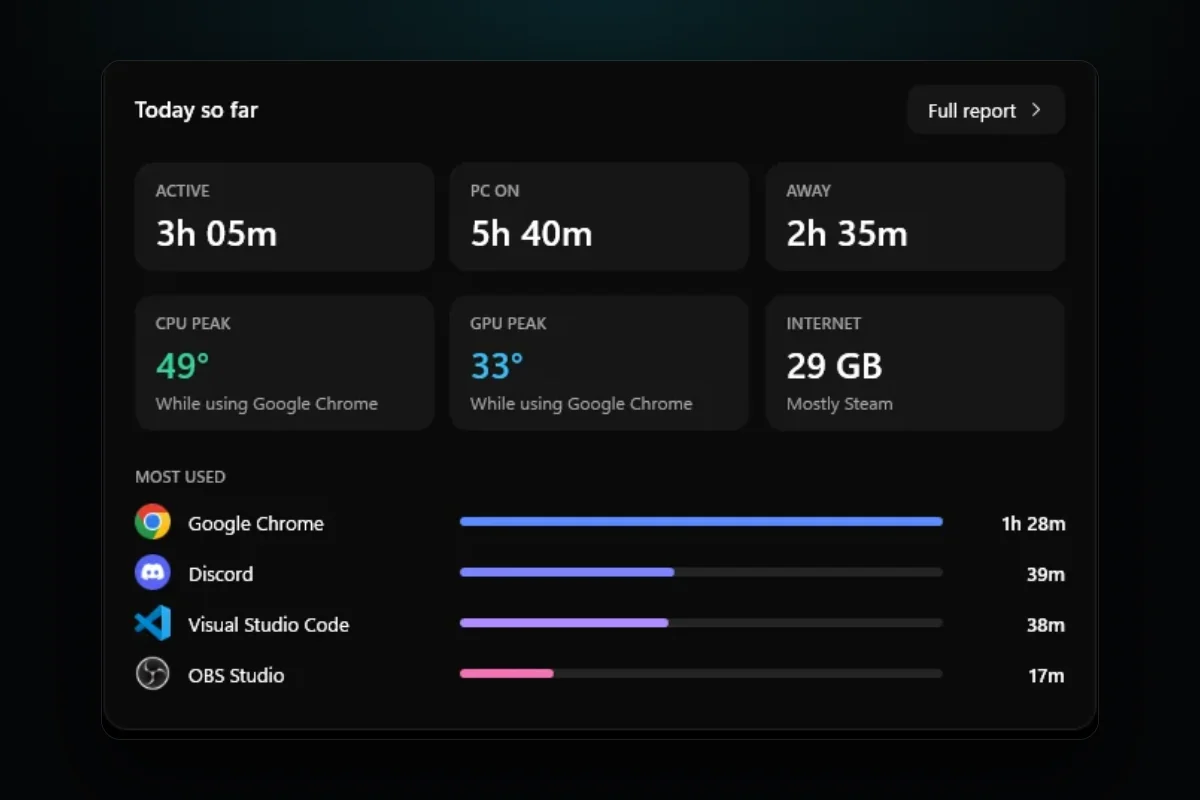
- Home got its own tiles for the day's CPU and GPU peaks.
- Peaks started saying what you were doing at that minute, like "while playing Counter-Strike 2".
- Custom pages built from tiles you drag around, which later became Dashboards.
- A game overlay that a shortcut turns on and off, and then the same overlay inside fullscreen games.
- FPS in the overlay, today's highs and lows, 24 hours of history and drive health.
That second item is the one I still like most. A number like "GPU 79°" is trivia. "GPU 79° while playing a game for three hours" is something you can do something about.
The first thing I got wrong
Moving that fast has a cost, and it showed up within hours. The memory reading was wrong.
Windows reports a few different numbers for memory. The one I picked first included the page file, the space on your drive that Windows uses when RAM runs out. So RigSight was showing RAM plus a chunk of disk and calling it RAM, a number that had little to do with the memory sticks in the PC.
The fix was one line that reads physical memory only. Finding it took longer, because the number looked plausible most of the time. That turned into a habit I kept for the rest of the month. When a reading looks fine, check it against something you trust anyway. For memory, that is Task Manager.
What I'd tell myself on day one
Shipping 25 versions in a day felt like progress, and a lot of it was. But the following weeks were mostly about making the numbers right, not adding more of them. A monitor that keeps history has a special problem. If a reading is wrong, it is wrong in your history forever, and you might make decisions from it weeks later.
That idea comes up again and again in the posts after this one.