
Building RigSight
A year in review from your own PC, not only Steam
Steam Replay arrives in mid-December and covers your Steam games. RigSight's year Rewind is made from your own PC's history once the year ends, with every game, the hottest moments and what went wrong. What goes in it, and what my October looked like.
The short version
Steam Replay covers Steam games played online, up to mid-December. RigSight's year Rewind is made on your PC from its own history after the year ends, for a PC used on at least 84 days that year. It counts every game RigSight saw, plus temperatures, changes and problems.
Every December, Steam Replay shows people their year on Steam. Last year it arrived on 16 December. It's fun, and it's also only part of the picture. It counts games on Steam, played while connected, up to about the middle of December. Games from other launchers, the last two weeks of the year and everything else the PC did aren't in it.
RigSight already records all of that, minute by minute, on your own PC. So since 0.31.0 it has turned that history into Rewinds, a short look back you can watch and share as a picture. One of them covers the whole year.
When a year Rewind is made
RigSight makes a Rewind for a month, 3 months, 6 months and a year, once that period has ended. The year one comes after 31 December, when the PC was used on at least 84 days of the year. A PC that was barely on wouldn't have much of a year to show. History has to be kept for at least a year too, which it is unless you've set it shorter in Settings.
It's made on your PC, from what your PC recorded, and it stays there. Since 1.11.0 every Rewind covers everything, and Settings > Rewind lists them to watch or share again. Share makes a picture in the shape you pick, for a story, a post or a wide screen. Nothing leaves the PC unless you share that picture yourself.
What goes in it
- How long your PC was on, on how many days, and your biggest day.
- Month by month, the hours and the game or app you used most in each.
- When in the day you play, how many different games, your most played and your longest sitting without a break.
- The hottest your CPU, GPU and the GPU's hot spot got, with the day and what was running.
- What changed, the apps installed, updated or removed, and new graphics drivers.
- What went wrong, from app and game crashes to blue screens and sudden shut-offs, with the worst day. Or that nothing did.
- How much you downloaded and uploaded, and which apps used the most.
Games count from every launcher RigSight finds them in, not only Steam, because its Games library reads them all.
What my October looked like
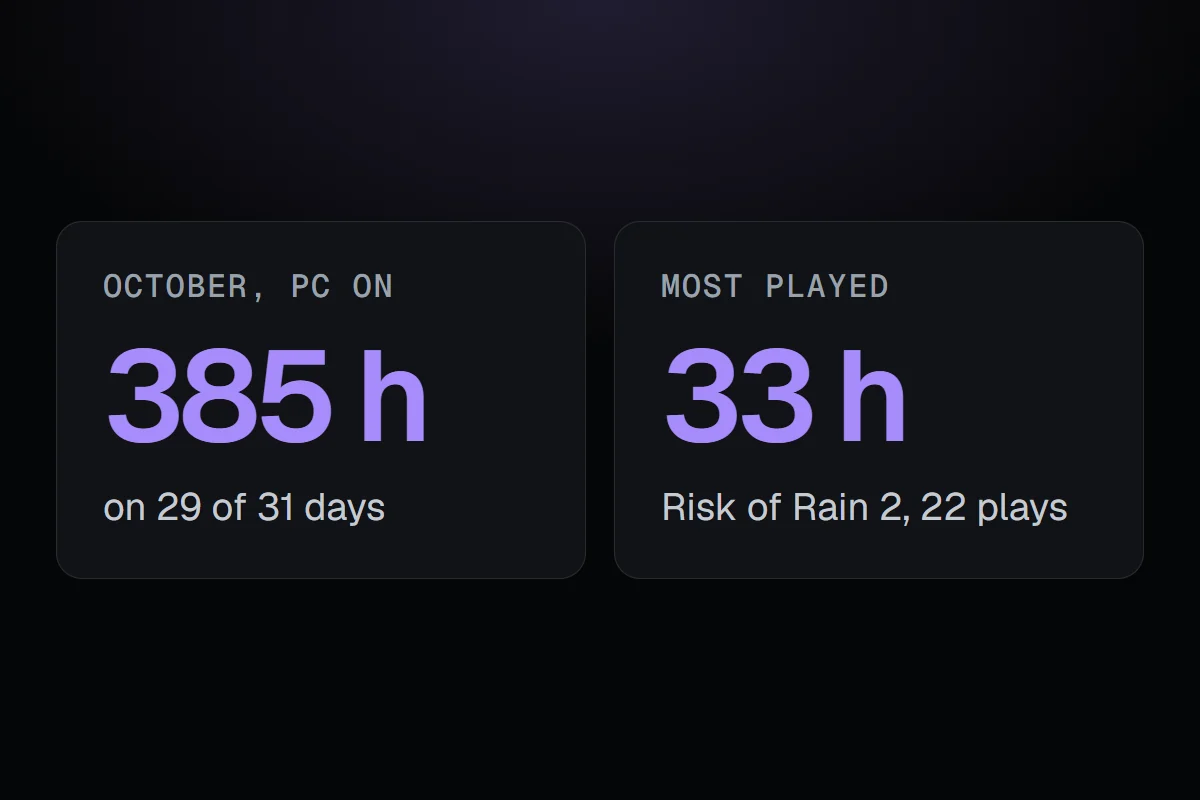
My own year will be a short one, since RigSight started recording on this PC on 23 September. So here's my October Rewind instead. My PC was on for about 385 hours, on 29 of the month's 31 days, and my biggest day was 5 October. About 106 of those hours were in 18 games.
Risk of Rain 2 was my most played, at about 33 hours over 22 plays. My longest sitting was Phantom Blade Zero, 3 hours and 34 minutes without a break on 30 October. The GPU's hottest moment was 73°C, in No Man's Sky on 7 October. That month I installed 15 apps, updated 45 and moved to graphics driver 621.01.
A few of those I'd have guessed. The 385 hours I wouldn't have.
Why it's built like this
The Rewind started as a lot more than this. It had switches for which kinds are made, which topics go in and what's left out, and a full-screen showing when one was ready. In 1.11.0 I cut it down to watching and sharing, so each one covers everything and there's nothing to set up. It's the same history the rest of RigSight already shows, put in an order that's fun to scroll through once a month or once a year.
My 2026 has about 52 days of use so far, and needs 84 by the end of December. If it gets there, mine will be made in January, after the year it covers has ended.