
Building RigSight
Why opening RigSight from the tray waited up to a second
Every time you opened RigSight from the tray, a notification or a widget, it waited 290 ms to over a second before the window even started. The tests never saw it, because they started the window another way. How 1.11.0 cut it to tens of milliseconds.
The short version
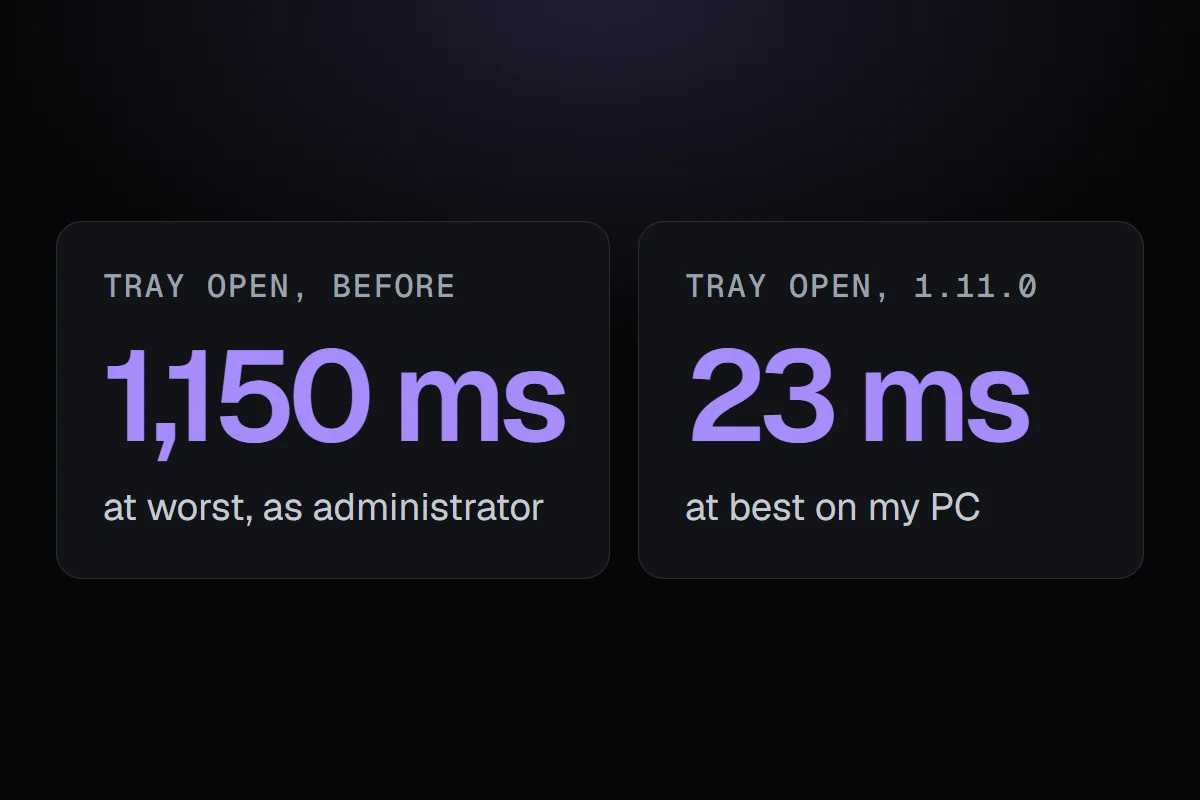
RigSight's background part runs as administrator, so it asked a new copy of Explorer to start the window with normal rights. That hop took 290 ms to over a second. In 1.11.0 it asks the desktop's own Explorer directly, and on my PC the window now starts 23 to 92 ms after the click.
RigSight is two programs. A small background part runs all the time, records your PC and owns the tray icon. The window you look at is a separate app that opens when you want it. When you click the tray icon, a notification or a widget, the background part starts the window.
On 12 November I started working on speed. I measured page switches, first visits and how long the window takes to open, all with the end-to-end tests that drive the real app. Everything looked fine. Then I timed the one thing the tests didn't do, which was a click on the tray icon.
Why there was a hop at all
The background part runs as administrator, because reading some sensors, like the CPU's temperature, needs it. Anything a program starts gets that program's rights, so if it started the window itself, the window would run as administrator too, and so would anything you opened from it, like a link or a folder. The window should run with your normal rights, like any app you open yourself.
So RigSight asked Explorer to start it instead. It ran explorer.exe with the window's program as the argument. That starts a new copy of Explorer, which hands the job to the Explorer already running your desktop and quits. The desktop's Explorer runs with normal rights, so the window does too.
How long the hop took
Started directly, the window's program begins in about 15 ms. Through the extra Explorer, I measured 280 to 650 ms on my PC, and from an administrator program, which is what the background part is, 290 to 1,150 ms. That's before the window even starts loading.
Every open waited that long. The tray icon, a click on a notification or a widget, a widget shortcut, and starting RivaTuner for the overlay all went through the same hop. And none of my speed tests saw it, because they start the window's program directly to time it. The slowest step happened only in real use.
Asking the desktop's Explorer directly
Raymond Chen at Microsoft wrote about this exact problem in 2013, on his blog The Old New Thing. An administrator program can ask the desktop's own Explorer to open something, the same way a double-click on the desktop does. It finds the desktop among Explorer's windows, asks it for the object Explorer uses to run things, and tells that to open the program. Explorer runs it, with normal rights, and no new copy of Explorer has to start.
Asked that way, it took 11 to 18 ms in my tests, the first ask included. I checked from an administrator PowerShell that what it started ran with normal rights. If the desktop's Explorer can't be asked, because another shell is running or Explorer crashed, RigSight falls back to the old way and writes why in its log.
What it does on my PC now
1.11.0 went out on 13 November. RigSight's log now writes how long each open took. On my PC today, the window started 43, 23 and 92 ms after the click. Before, the same click waited between a quarter of a second and over a second first.
The same release counts Storage's space you could free faster, by recounting only the folders that changed since the last count. On my folders that went from about 3.8 seconds of CPU time to under 0.1 when nothing had changed. The window also compiles about a third fewer methods while opening, because the messages between the two programs are now read with generated code.
The lesson I took is about where I measure. The tests timed everything they could reach, and the slowest part sat just outside them. Now the log times the real click, so the next time something like this creeps in, it shows up where I'll see it.