
PC problems · FPS and games
How to check VRAM usage in games, and what too high looks like
On my 12 GB card, one game used up to 7.2 GB of graphics memory and another about 2. How to check VRAM usage in games on Windows 11, how much games really use, when it's too high, and what RigSight shows.
The short answer
To check VRAM usage on Windows 11, open Task Manager, go to Performance, pick your GPU and read Dedicated GPU memory. For one game, add the Dedicated GPU memory column on the Details tab. Many games fill VRAM on purpose, so nearly full is only a problem when it comes with stutters or crashes.
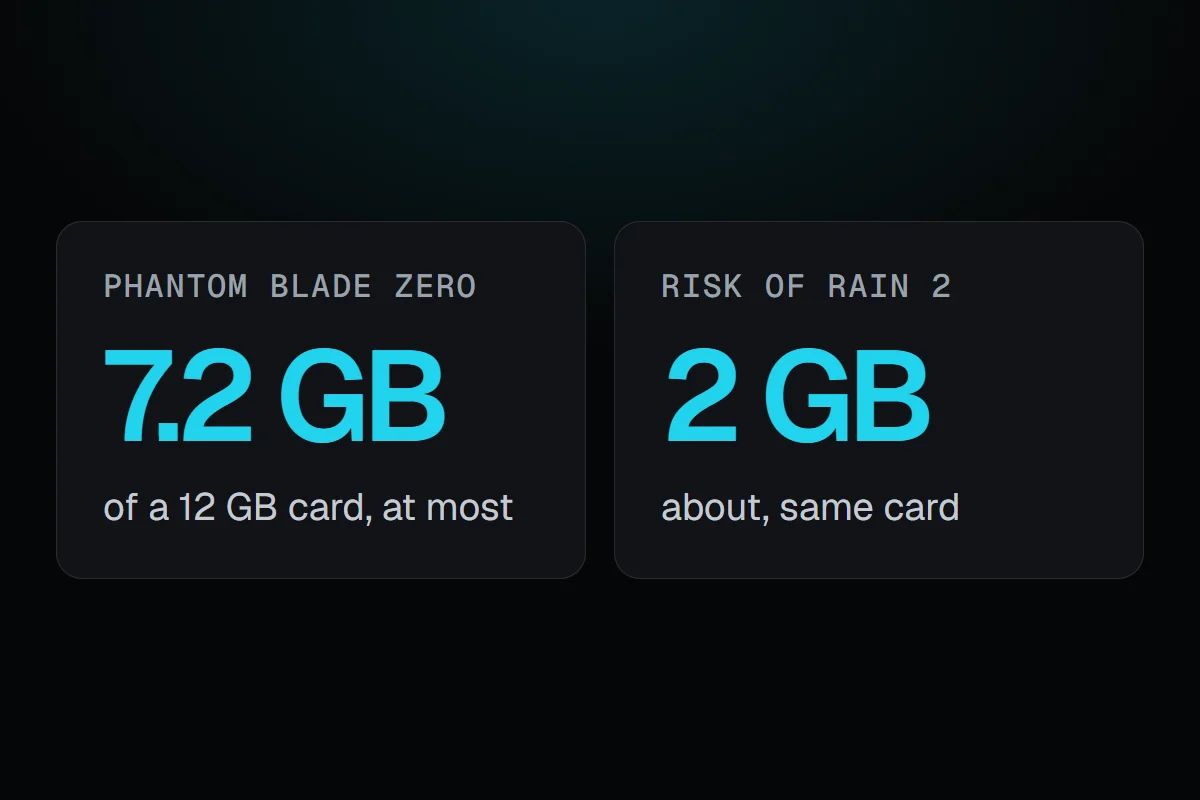
My GPU has 12 GB of memory. Playing Phantom Blade Zero, the game itself used up to 7.2 GB of it, usually about 6. Playing Risk of Rain 2 on the same PC, it used about 2 GB. Same card, about three times the difference. That's why a list of how much VRAM games use only goes so far. Here's how to check VRAM usage for your own games on Windows 11, and how to tell when it's really too high.
How RigSight caught it
RigSight records the GPU's memory every minute, both the whole card and the game in front. On the Games page, each game shows its graphics memory as "up to" its highest of the card's total, for the game's own use when Windows reports it, or for the whole card and all apps when it doesn't. That's where my two numbers came from.
RigSight doesn't treat nearly full as a problem by itself, because many games fill the card on purpose. It only speaks up when memory ties in with something that went wrong. When a game crashes with the card's memory nearly full, at least 90%, and at least 1 GB and 15% above what that game usually uses on your PC, the opened crash says so. It's careful about it, because running out of memory can crash a game, but a game that simply loaded more looks the same. And when stutters bunch up while the card's memory is 95% full or more, the play's frame-by-frame view names that as what was going on. You can also put GPU memory used in the overlay, a widget or the taskbar. RigSight is free and open source.
VRAM usage in games, and when it's too high
VRAM is the GPU's own memory. Games keep textures, models and the frames being drawn there, because the card can reach it much faster than the PC's main memory. Higher texture settings, higher resolutions and ray tracing all take more of it.
When it runs out, the card can have to fetch data from the PC's main memory instead, which is far slower. That shows as stutters when you turn into a new area, textures that appear blurry and sharpen late, and in bad cases crashes. Nearly full without any of that is fine. A game that keeps 10 GB of a 12 GB card filled may just be using the room it has.
How to check VRAM usage on Windows 11
- Press Ctrl + Shift + Esc to open Task Manager.
- Open Performance and click your GPU, usually GPU 0. Dedicated GPU memory is the card's own memory in use, out of its total.
- To see one game's use, open Details, right-click a column heading, choose Select columns and tick Dedicated GPU memory. Sort by it while the game runs.
Shared GPU memory is main memory the card can borrow. On a gaming card with its own memory, a lot of it in use can be a sign the card ran short.
To check VRAM usage while gaming, you need it on screen or recorded, because tabbing out changes what the game is doing. An overlay that shows GPU memory, or a tool that records it, works better than Task Manager for that.
How to fix VRAM usage that's too high
- Lower Texture quality one step first. It usually saves the most memory for the least visible change.
- Turn down ray tracing, or turn it off. It needs extra memory on top of everything else.
- Lower the resolution, or use your card's upscaling, such as DLSS, FSR or XeSS, which draws at a lower resolution and scales it up.
- Close other apps that use the GPU, like browsers with video or capture tools, before you play.
- Update the game and the graphics driver, since games sometimes fix memory use in patches.
Your next step is to check your heaviest game's VRAM usage against your card's total. If it sits near the top and the game stutters, lower textures first. If it sits near the top and plays fine, leave it alone. For stutters with plenty of memory free, see games stuttering on PC.
Questions people ask
How much VRAM do games use?
It depends on the game, the resolution and the texture setting. On my 12 GB card, Risk of Rain 2 used about 2 GB and Phantom Blade Zero up to 7.2 GB. Check your own games, since a number for someone else's settings tells you little.
Is VRAM usage too high when it's nearly full?
Not by itself. Many games load as much as the card has room for and keep it, because it makes them faster. It's too high when nearly full comes with stutters, textures that load late, or crashes.
How do I check VRAM usage while gaming?
Keep Task Manager open on a second screen, or use an overlay that shows GPU memory, like RigSight's or MSI Afterburner's with RivaTuner. A tool that records it lets you look back after the game instead.