
PC problems · Crashes
Why Kernel-Power 41 happens, and how RigSight caught mine
My PC logged Kernel-Power 41 again and again. How RigSight caught and explained it, what causes Kernel Power 41, including while gaming, and how to fix it.
The short answer
Kernel-Power 41 is the critical error Windows logs when it starts after not shutting down cleanly. It's the record, not the cause. A BugcheckCode above 0 means a blue screen, a PowerButtonTimestamp means the button was held, and all zeros usually means power was lost or a shutdown never finished.
In the 30 days up to 1 October, my own PC logged Kernel-Power 41 again and again. There were 22 shutdowns that didn't finish cleanly, against 7 that did. I don't switch my PC off at the wall, and my lights weren't flickering 22 times a month. RigSight is what put that number in front of me, and working out what it really meant changed how RigSight reads this event for everyone.
How RigSight caught it
RigSight reads Windows' crash records every time it starts, so every Kernel Power 41 shows up on its Crashes page as a sudden shut-off, with the time it happened and what the PC was doing in the minutes before. That's how I saw how often it was happening. Without it, each one was a single red line in Event Viewer that I would never have gone looking for.
At first, RigSight called them power loss while the PC was asleep. That was my mistake, and it came from one field in the event. The full story is in My PC wasn't losing power in its sleep. In short, the field SleepInProgress holds the power state Windows was moving into, not a yes or no. On my PC it was a 6, switching off. These were shutdowns that never quite finished, not power cuts.
Today, every sudden shut-off on the Crashes page gets a cause and one word for how sure RigSight is.
- A held power button reads as Confirmed.
- A
SleepInProgressof 5 or 6 says Windows was already shutting down. - An error the hardware couldn't correct, logged around it, makes it Likely a hardware fault.
- A shut-off is only "Likely a power cut" when the PC was doing little, nobody held the button and Windows logged no error.
- A shut-off under load is only "Possibly mains or power supply", because from inside the PC those two look the same.
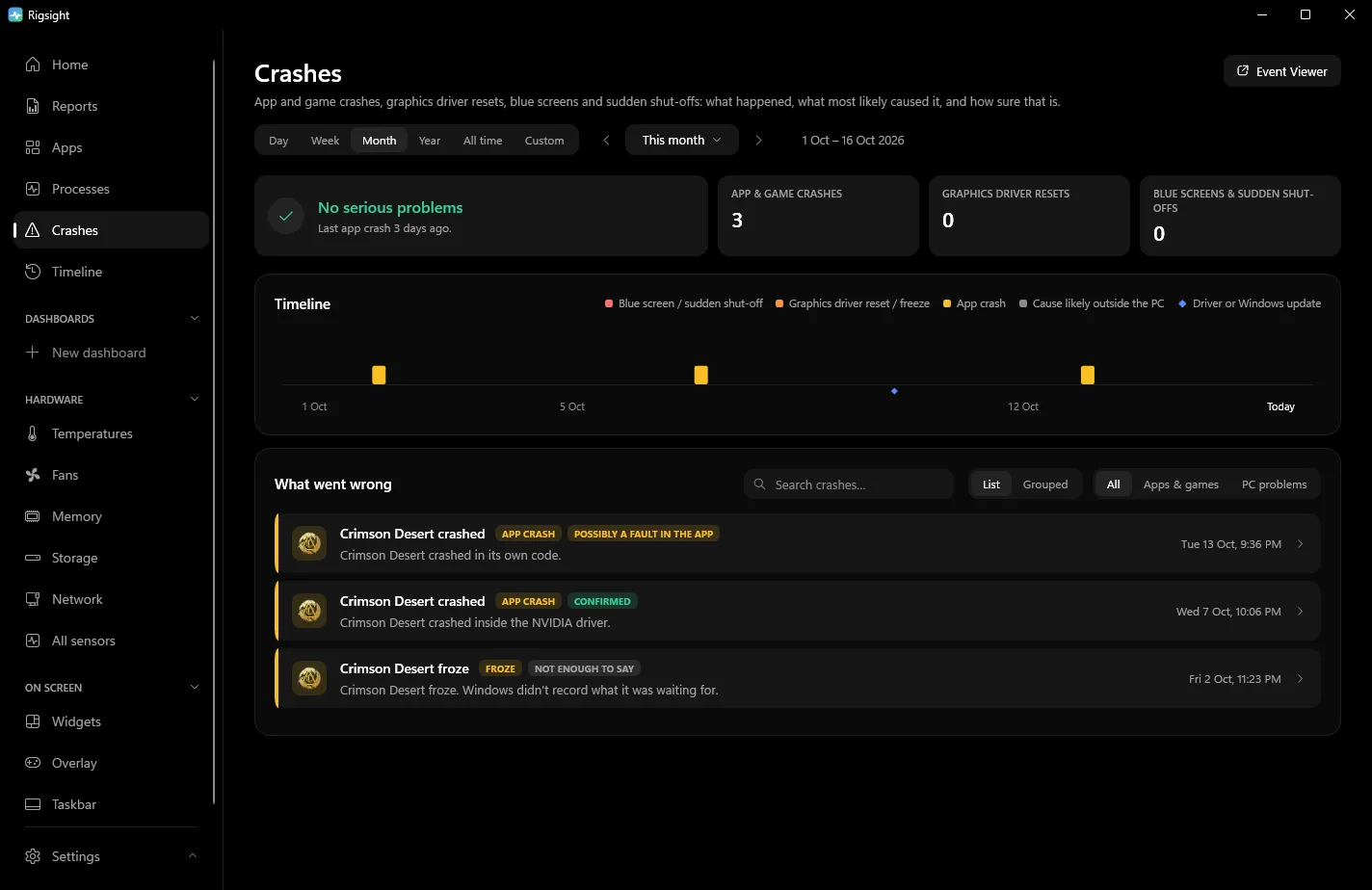
Open a shut-off and you see the 45 minutes before it. It shows temperatures, load, GPU power draw, memory and fans, with the game in front. If the GPU was drawing 320 W at normal temperatures when it went off, that points toward the power supply rather than heat. The shut-off is timed by the last minute RigSight recorded, not by Windows' 6008 time, which can be some minutes early. CPU temperature and power need RigSight running with admin rights. RigSight is free and open source.
Why Kernel-Power 41 happens
When you shut down normally, Windows closes everything and marks the shutdown as clean. When it starts and finds no clean mark, it logs event 41 from the source Kernel-Power, with the text "The system has rebooted without cleanly shutting down first." So the event is written at the next start, not at the moment the PC went down. It sounds like a diagnosis. It isn't. It only says the last shutdown wasn't clean.
Anything that stops Windows without a proper shutdown leaves one behind. That's why searching the event ID alone gets you every possible answer. These are the usual causes when the event shows no blue screen.
- A power cut or dip. If the lights flickered or other devices lost power too, it was the mains. A battery backup, called a UPS, stops these.
- A power supply that can't keep up. This is the classic cause of Kernel Power 41 while gaming. Modern GPUs can draw short spikes above their rated power, and a tired or undersized supply switches off to protect itself. It looks exactly like a power cut from inside the PC.
- Overheating. CPUs and GPUs switch the PC off when they pass their limit, rather than burn out. The limit is on the maker's page for your model and differs between models. Intel lists 100°C for the Core i9-14900K, for example, AMD 95°C for most Ryzen 7000 chips and 89°C for the X3D ones.
- An unstable overclock or undervolt. That includes XMP or EXPO memory profiles, Curve Optimizer and GPU tuning tools. Tuning that is too tight can reset the PC with no blue screen.
- A held power button after a freeze. The timestamp usually records it, but Microsoft notes it can stay at 0 when the frozen PC couldn't write to its drive.
- A shutdown that didn't finish, often with Fast Startup, like mine. With Fast Startup on, a normal shutdown goes through hibernate, so an unfinished one leaves a 41 behind. These are usually harmless.
- A loose cable. Check the power cable at the wall and at the supply, and the GPU's own power plugs.
How to read Kernel-Power 41 yourself
- Right-click Start and open Event Viewer.
- Go to Windows Logs > System, click Filter Current Log and type
41in the event IDs box. - Double-click the event, then open the Details tab and pick Friendly View.
These are the fields that matter.
BugcheckCodeis the blue screen's stop code, written in decimal. 0 means no blue screen was recorded. Any other number means Windows crashed with a stop error. Convert it to hex to look it up. Open Calculator, switch to Programmer, type the number with DEC selected and read the HEX line. Microsoft's own example, 159, is 0x9F, DRIVER_POWER_STATE_FAILURE.- In
PowerButtonTimestamp, anything other than 0 means someone held the power button to switch the PC off. - For
SleepInProgress, Microsoft's event 41 article only shows it as false or 0, and doesn't explain the other numbers for this event. They line up with Windows' list of power states, where 0 is none, 2 to 4 are sleep, 5 is hibernate and 6 is off. Read that way, a 5 or 6 most likely means a shutdown that never finished, not a crash in the middle of a game.
Microsoft's own advice splits it the same way. A code above 0 is a stop error, so follow the stop code. See what causes a blue screen. A power button timestamp means the PC was switched off by hand, usually because it had frozen. When everything is 0, Windows had no chance to write anything, and Microsoft points to the power supply, overheating, memory and overclocking.
How to fix Kernel-Power 41, in order
- Note when it happens. Only under load points to the power supply or heat. At idle or overnight points to the mains, sleep or Fast Startup.
- Undo all tuning. In the BIOS, load the default settings and turn off XMP or EXPO for a test. Reset any GPU overclock in its tool. If the restarts stop, the tuning was the cause.
- Check temperatures while gaming. If the CPU or GPU is near its limit just before it goes off, clean the dust filters and check every fan spins.
- Plug the PC straight into a wall socket, not a power strip or extension. Reseat the power supply's cables at both ends, and the GPU's power plugs.
- Check the power supply. Compare its wattage with your GPU maker's recommended supply. If the card takes two or three 8-pin plugs, check the manuals for the card and the power supply. Some ask for a separate cable from the supply for each plug instead of one cable with two plugs on it, and with a power-hungry card that is the safer choice anyway.
- If the 41s happen at shutdown, sleep or wake, turn off Fast Startup. Go to Control Panel > Hardware and Sound > Power Options > Choose what the power buttons do > Change settings that are currently unavailable, then clear Turn on fast startup and click Save changes. Update the BIOS and chipset drivers from your motherboard maker too.
- If it still happens under load with everything at defaults, test with another power supply. It's the part most often at fault, and the hardest to prove any other way.
Also check whether the 41 is alone. Filter the System log for WHEA-Logger as the event source. An error the hardware couldn't correct around the same time points at the CPU, memory or motherboard, or at tuning that's too tight for them.
Your next step is to open the latest event 41 and read BugcheckCode and PowerButtonTimestamp. If both are 0 and it happens while gaming, start with tuning and the power supply. If SleepInProgress is 5 or 6 and it only happens at shutdown, you're probably looking at what I was. Those are shutdowns that didn't finish, and nothing to panic about.
Questions people ask
What is Kernel-Power 41 (63)?
It's the same event. 41 is the event ID and 63 is its task category, which Event Viewer shows in brackets. The long number like (70368744177664),(2) is the event's keywords. None of these numbers say what caused the shut-off. The fields on the Details tab do.
Why does Kernel Power 41 happen while gaming?
Under a game the GPU and CPU draw the most power and run hottest, so a power supply that can't keep up, an unstable overclock or overheating shows up there first. If BugcheckCode is 0 and nobody touched the power button, start with the power supply and the temperatures in the minutes before.
Is Kernel-Power 41 a hardware problem?
Not always. It's logged after a power cut, a held power button, a blue screen caused by a driver, or a shutdown that didn't finish. If it keeps happening with a code of 0 while the PC is working hard, hardware, usually the power supply, is the most likely cause.
How do I fix Kernel Power 41?
Fix what caused it, since the event is only the record. Read the BugcheckCode first. With a code, follow the stop code. With all zeros, undo overclocks and XMP or EXPO, check temperatures, plug the PC straight into the wall, and test or replace the power supply if it only happens under load.