
Building RigSight
The day RigSight told me my healthy fan was clogged
A warning that compared a resting PC with a gaming one, and the rule it left behind. Compare like with like, or say nothing.
The short version
RigSight warned my healthy GPU fan might be clogged. It had compared a stopped fan at rest with a spinning one in a game. Since then, every comparison is like for like, or not shown.
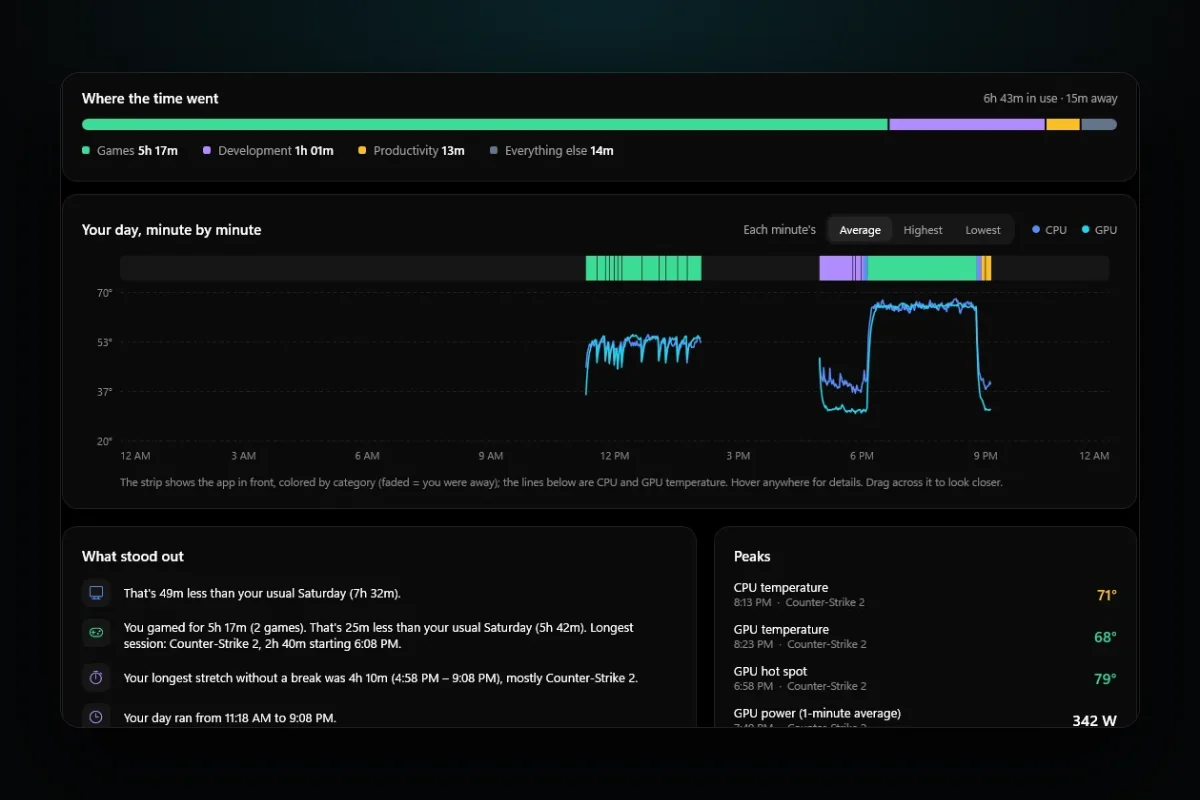
A big part of RigSight is the short lines it writes about your PC. "You gamed 25 minutes less than your usual Saturday." "Your GPU was hotter than usual in this game." I call them insights, and they are the reason the app exists. Anyone can draw a chart. Telling you which part of the chart matters is harder.
On 29 September one of them told me this.
Your GPU fan runs 1,473 rpm faster than usual at the same temperature. Your cooler may be clogging.
That's a scary sentence. It's the kind that makes you open the case and start blowing dust out. My fan was fine.
What it had actually compared
Most modern GPUs stop their fans when the card is cool. So a big share of "usual" fan minutes were idle minutes at 0 rpm. The insight lined those up with minutes from a game, where the fans were spinning normally, and called the difference unusual. On top of that, the fan readings it used were stale.
Every number in the sentence was real. The comparison was nonsense.
What it compared
Fan minutes at rest, mostly stopped, against fan minutes in a game.
What it compares now
The same game, at steady load, at the same GPU power, with the room's temperature taken out.
Like for like, or nothing
I could have patched that one insight. Instead I went through all of them and asked one question. Is this comparing two things that should behave the same?
Heat is now only compared at what I call steady load. That means the same app, with the GPU at 80% or more, after its first 10 minutes so the cooler has warmed up. The room is taken out by looking at the PC's resting temperatures on both days. A summer evening and a winter morning are not the same test.
For "your GPU runs hotter than it used to", the bar is high. The difference has to be at least 5 degrees, at least 3 degrees more than the change at rest, at the same GPU power within 15%, with an hour of steady play behind it.
A lot of insights didn't survive the question, so these went.
- Week against week temperature comparisons
- Temperature drift at idle
- How fast the PC cooled down after a game
- CPU throttling
- Fan speed comparisons
- Advice to put the PC to sleep sooner
Some of those sounded clever. None of them were fair comparisons.
A fake PC to keep it honest
I didn't want to find out about the next bad insight from my own PC. So I built a pretend one. It's a small simulation that plays out months of a PC's life. The room warms and cools through the day and the seasons. A cooler warms up, dust builds up with use, fans stop at rest or wear out, and a GPU throttles.
The rule for it is strict. A healthy pretend PC, run for 45 days, 8 weeks or 3 months, must produce zero warnings. And each fault I add, a worn fan or a dusty cooler, has to be found only once it actually happens, never before.
Where it went next
Three weeks later, version 0.28.0 took the same idea further and called it "Normal for this PC". Each game's temperatures are set against that same game on the same PC over the two months before, at steady load and the same GPU power. Fans that change speed after a restart are read as a BIOS change and start a fresh "usual" instead of raising an alarm.
I think about that fan warning a lot. A missing warning costs you nothing today. A wrong one costs you an evening with a can of air, and the next time RigSight says something, you trust it a little less.