
PC problems · Temperatures
GPU thermal throttling, and how to tell if yours is
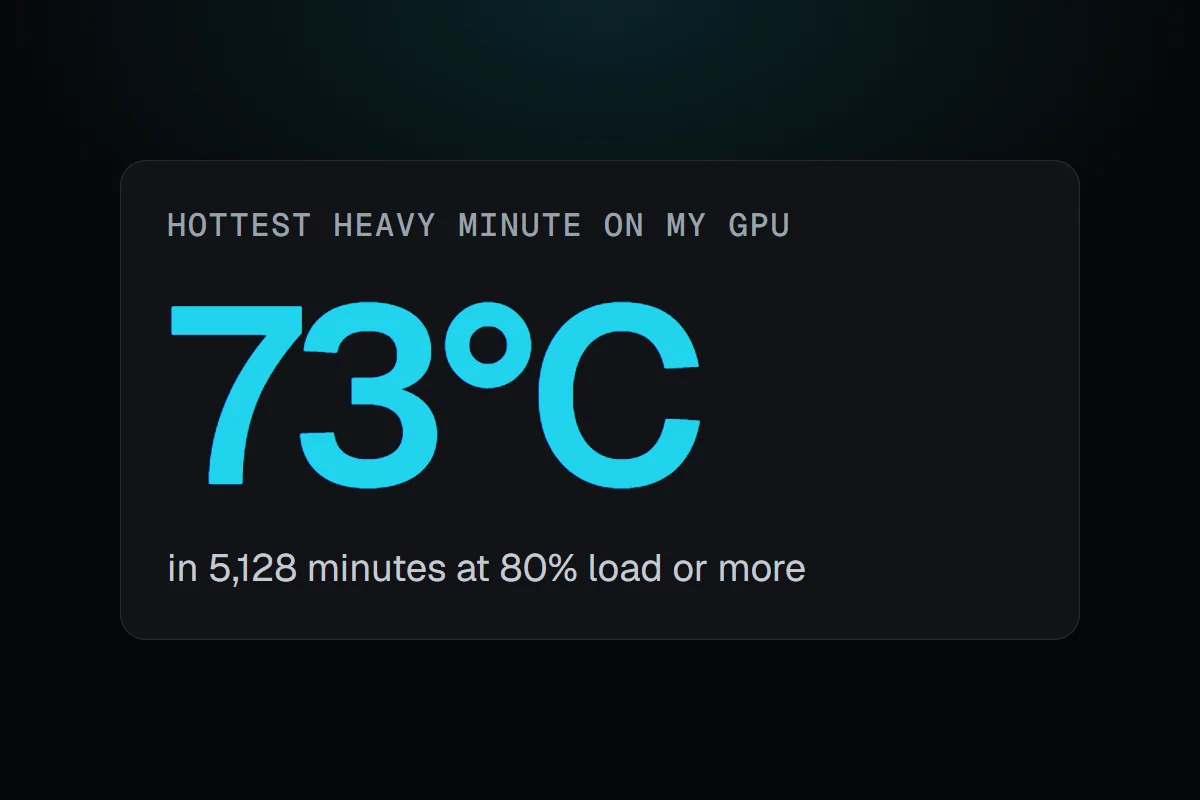
In 5,128 minutes of heavy load my GPU never passed 73°C, so it never had a reason to slow down. What GPU thermal throttling is, how RigSight tells it apart from normal boost and power limits, and how to check and fix it.
The short answer
GPU thermal throttling is the GPU lowering its clock speed to stay under its maker's temperature limit, so the frame rate drops after a few minutes of play. To check, watch the GPU's temperature and clock in the same game. Clocks falling while the temperature sits at its limit is throttling. Clean the cooler, improve airflow and cap the frame rate.
In 5,128 minutes with my GPU at least 80% busy, the hottest it got was 73°C, in No Man's Sky on 7 October. RigSight starts looking for GPU thermal throttling at 83°C, so my card never had a reason to slow itself down. That's what most healthy PCs look like. Throttling is worth knowing about because when it does happen, it looks like the game got slower for no reason.
How RigSight catches it
A GPU's clock speed moves all the time, so a lower clock on its own proves nothing. As a card warms up, its boost lets the clock ease down a step or two. A heavier scene draws more power and can hit the card's power limit. A different game runs at different clocks altogether. None of that is the card slowing down to stay cool.
So RigSight compares the GPU with itself, inside one stretch of one game at heavy load. It takes the clocks from that same stretch while the GPU was cooler, and looks for minutes where the GPU sat at 83°C or more with its clocks below 88% of that, without drawing more power than before. Three minutes or more of that counts as throttling.
Since version 1.7.0, when it happens you get a notification afterwards, such as "Your GPU slowed itself for 12 minutes to stay cool", with how far the clocks fell and the temperature it started at. RigSight also tells you after a game when it ran hotter than usual at the same power. The bell in the title bar keeps every notification from the last 30 days. RigSight is free and open source.
What GPU thermal throttling is
Every GPU has a maximum temperature set by its maker. NVIDIA lists 85 to 93°C for its recent GeForce GPUs, depending on the model. As a card gets close to its limit, it lowers its clock speed and power so it makes less heat. The card stays safe, but it does less work, so the frame rate falls.
The usual symptoms are these.
- The game runs well for the first few minutes, then the frame rate drops and stays lower.
- The GPU's temperature sits near its limit, and the fans run fast.
- The clock speed falls while the load stays the same.
Power throttling is a different thing. A card at its power limit lowers its clocks at normal temperatures, which is how cards are designed to run. A card that eases its clocks a little as it warms from 60 to 75°C is doing its normal boost, not throttling.
How to check if your GPU is throttling
- Start a demanding game and play for 15 minutes, so the card is fully warm.
- Watch the GPU's temperature and clock speed together, with an overlay or a monitoring app.
- If the temperature reaches the high 80s and the clock falls while the load stays near 100%, that's thermal throttling.
- GPU-Z's Sensors tab has a PerfCap Reason line that names what is holding the clocks back, such as temperature or power.
How to fix GPU thermal throttling
- Check every fan on the GPU spins under load. A stopped fan is the fastest way to a throttling card, and GPU fan not spinning covers how to tell.
- Clean the dust out of the GPU's heatsink and the case filters with short bursts of compressed air, holding the fans still.
- Give the case airflow. Air in at the front or bottom, out at the back or top, and room around the PC.
- Cap the frame rate a little under your screen's refresh rate. The card does less work for frames you never see, and runs cooler.
- Raise the GPU's fan curve a little in the card maker's app, then test again.
- On an older card, new thermal paste can help. A big gap between the GPU's temperature and its hot spot is a sign, as GPU hotspot temperature explains. Opening a card can affect the warranty, so check that first.
For the whole PC running hot, PC overheating while gaming has the full list. Your next step is the 15-minute check above. If the clocks hold while the temperature stays below the high 80s, your GPU isn't throttling.
Questions people ask
At what temperature does a GPU thermal throttle?
It depends on the card. NVIDIA lists maximum temperatures of 85 to 93°C for its recent GeForce GPUs, and cards start lowering clocks as they get close to that. Check the maker's page for your model.
What are the symptoms of GPU thermal throttling?
The game runs well for the first few minutes, then the frame rate drops and stays lower. The GPU's temperature sits near its limit, the fans run fast, and the clock speed falls while the load stays the same.
How do I check if my GPU is power throttling?
GPU-Z's Sensors tab has a PerfCap Reason line that names what is holding the clocks back, such as power or temperature. A card at its power limit lowers its clocks at normal temperatures, which is how the card is designed to run, not a fault.