
PC problems · Temperatures
Normal GPU temperature while gaming, and when 85°C is too hot
What a normal GPU temperature while gaming is, the limits NVIDIA and AMD give, and why RigSight only ever compares your card with itself, after it once told me my healthy fan was clogged.
The short answer
A normal GPU temperature while gaming is roughly 60 to 80°C on a desktop card with a working cooler. Each card has its own limit, and NVIDIA lists 85 to 93°C depending on the model. 85°C is warm but within spec for most cards. Worry when it keeps rising, or sits right at the limit.
On 29 September RigSight told me my GPU fan was running 1,473 rpm faster than usual at the same temperature, and that my cooler might be clogging. Nothing was wrong. It had compared minutes when my card's fans were stopped at rest with minutes in a game. That mistake is the best answer I have to "what's a normal GPU temperature while gaming?" Normal is what your own card does in the same game, at the same load. Charts of other people's cards give you a rough range and nothing more.
How RigSight checks your GPU temperature
After that false alarm, every temperature comparison in RigSight became like for like. The full story is in The day RigSight told me my healthy fan was clogged. Here is what it does now for your GPU.
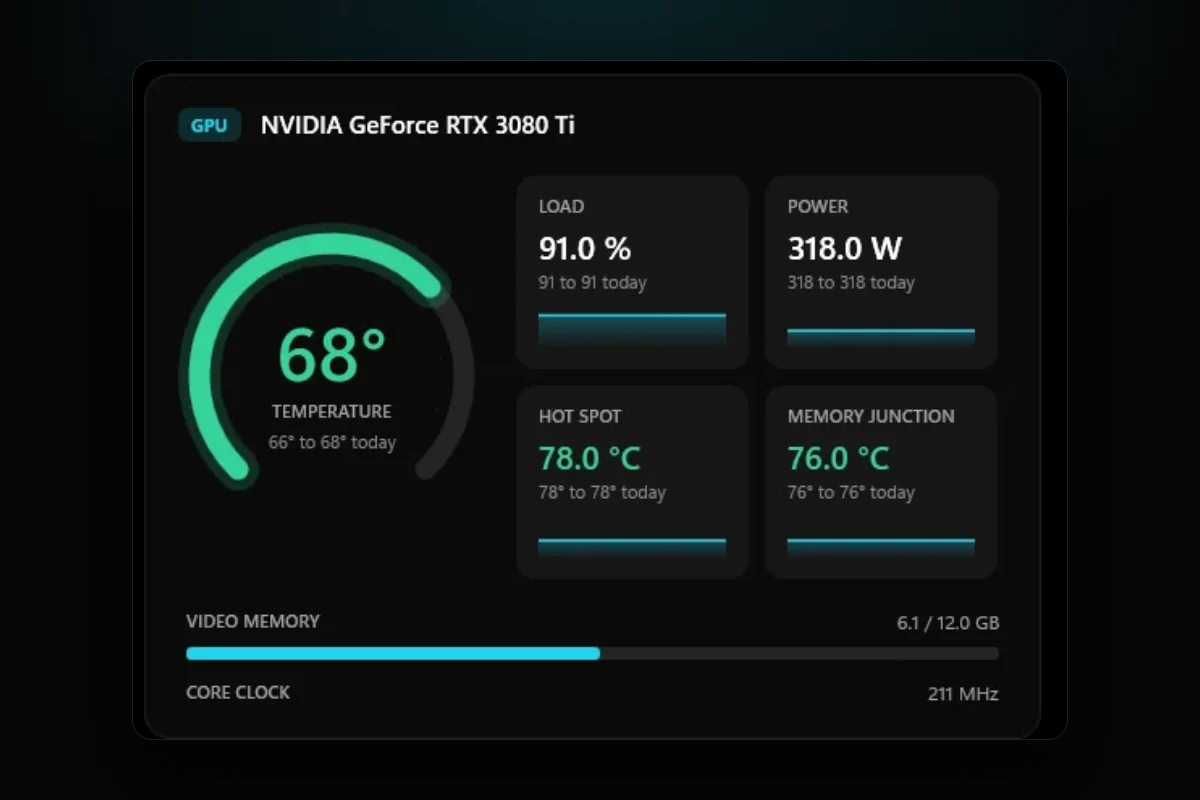
RigSight is a free, open-source PC monitor for Windows that records your temperatures all day and keeps them as history. Its Temperatures page shows the GPU's temperature with its lowest and highest of the day under it, plus the hot spot and memory junction readings when the card reports them. Below that, the history graph covers any range from the last 5 minutes to the last 12 months, or a Custom range, and can show each minute's average, highest or lowest reading. So you can see the exact peak of last night's session, not only how warm the card is now.
The part that answers "is this normal?" is that RigSight compares your card with itself. For a week, a month or a custom range, Reports has an Against your usual table. It takes the game you played most and sets its GPU temperature against your own usual in that game from the weeks before, at the same power, with the room taken out. If a game now runs hotter than usual, the PC health card on Home says so in one line. That answers the question better than any chart of other people's cards.
If you'd rather be told than check, Settings has Notifications > Temperature alerts. The GPU limit starts at 83° and can be set from 60 to 100°. When the GPU stays over it for a few seconds, the alert names the app that was running.
Why a GPU runs as hot as it does
A GPU turns almost all the power it draws into heat, and a demanding game asks it for nearly all it has. How hot it ends up depends on how much power the game pulls, how well the cooler moves that heat into the case, and how well the case moves it out into the room. A hotter room starts the whole chain higher.
Normal GPU temperature while gaming
On a desktop card with a working cooler, a demanding game usually puts the GPU somewhere between 60 and 80°C. Where yours lands in that span depends on the card, the cooler the maker put on it, the case and the room.
- A big card with three fans in a case with good airflow often stays in the 60s.
- A small card with one or two fans, or any card in a tight case, often sits in the high 70s.
- A card that stops its fans at rest will idle warmer than you expect, around 40 to 50°C. That's by design.
Two things are normal and catch people out. First, the temperature climbs for the first 10 minutes or so of a game, then levels off. Judge the level, not the climb. Second, modern cards boost their clock speed as long as there is room under their limit, so a warm card is often a card that is boosting its clock.
The limits NVIDIA and AMD give
There is no one safe number for every GPU. Each maker publishes its own, and it changes from model to model. NVIDIA lists a "Maximum GPU Temperature" on each GeForce card's spec page. These are the figures for its own Founders Edition or reference designs.
- The RTX 3060, 3060 Ti, 3080 and 3080 Ti have a maximum of 93°C.
- The RTX 4070, 4070 SUPER, 4070 Ti, 4070 Ti SUPER and 4090 have a maximum of 90°C.
- The RTX 5090 has a maximum of 90°C.
- The RTX 5080 and 5070 Ti have a maximum of 88°C.
- The RTX 5070 has a maximum of 85°C.
NVIDIA notes that card makers such as ASUS, MSI or Gigabyte may publish different specs for their own versions, so check your exact card's page too. When a card reaches its maximum, it lowers its clock speed to stay there. That protects the chip, and it also costs you frames.
AMD talks about its limit differently. On Radeon cards the reading to watch against the limit is the junction temperature, also called the hot spot, which is the hottest of many sensors on the chip. In 2019 AMD said that a junction temperature of up to 110°C during typical gaming on the RX 5700 series was "expected and within spec". AMD Software shows this reading as GPU Junction Temperature, next to the main GPU temperature, which sits well below it. If you want to understand that second number, GPU hot spot temperature explains the gap between the two.
Is 85 degrees hot for a GPU while gaming?
85°C is warm. For most current cards it is still inside the maker's limit. It is 5°C under the 90°C of an RTX 4070 or 4090, and 8°C under the 93°C of an RTX 3080. On an RTX 5070, which NVIDIA lists at 85°C, it is right at the line, and the card is already holding itself back.
So the answer depends on your card. Look up its maximum, then ask yourself these questions.
- Does it level off at 85°C, or keep climbing the longer you play?
- Does your frame rate drop when it gets there?
- Did it used to run cooler in the same game, at the same settings?
If it levels off and the frame rate holds, your card is doing what it was built to do. If it keeps climbing, loses frames, or runs hotter than it did a few months ago, something has changed and it's worth a clean and a look at the airflow.
Normal GPU temperature while gaming on a laptop
Laptops are their own case. The GPU and CPU often share one set of heat pipes and fans, in a body a couple of centimetres thick. Gaming laptops commonly run their GPU in the high 70s and 80s °C, and that is how many are tuned out of the box. The laptop maker, not NVIDIA or AMD alone, sets how hot it is allowed to get and how loud the fans may run, so the maker's support page is the place to look for your model's numbers.
What helps most on a laptop is simple. Play on a hard, flat surface so the vents underneath can breathe, keep the vents free of dust, and use the maker's own performance mode app if it has one. A stand that lifts the back edge helps too.
How to check your GPU temperature in Windows
Windows 10 version 2004 and Windows 11 show the temperature of a dedicated GPU in Task Manager. Microsoft notes it needs a graphics driver that supports WDDM 2.4 or later, which any recent driver does.
- Press Ctrl + Shift + Esc to open Task Manager.
- Open the Performance tab.
- Click GPU 0 or GPU 1, whichever is your GPU rather than the graphics built into the CPU.
- Look for GPU Temperature in the details under the graphs.
Task Manager only shows the reading right now. To see how hot the card got during a game, you need a tool that records it while you play. Checking GPU temperature history covers the options.
What to do if your GPU runs hot
Try these in order. The first ones are free and fix most cases.
- Clean the card and the case filters. Dust packs into the fins of the cooler and the front filter. Hold the fans still while you blow them out so they don't spin up.
- Check airflow. Cool air should come in at the front or bottom and leave at the back or top. A case pushed against a wall or into a desk cubby traps hot air.
- Cap your frame rate. If your game runs at 200 frames on a 144 Hz screen, the card is working hard for frames you never see. NVIDIA has Max Frame Rate under Manage 3D settings in the NVIDIA Control Panel. AMD Software has Radeon Chill, which AMD says lowers power and GPU temperature by lowering the frame rate when you aren't moving much.
- Check the fans. Make sure every fan on the card spins in a game. If one doesn't, see GPU fan not spinning.
- Look at the room. A card runs warmer on a hot summer day. That's normal, and it's why comparing this week with last winter can mislead you.
Steps past this, like a new fan curve, undervolting or new thermal paste, are covered in PC overheating while gaming. If your fans are the problem rather than the heat, PC fans loud while gaming is the better read.
Next, look up your card's maximum on the maker's spec page, then play your usual game for half an hour and note where the temperature levels off. If it's well under the maximum, you can stop worrying. If it's close, start with the dust.
Questions people ask
Is 85 degrees hot for a GPU while gaming?
It's warm, but it's inside the limit for most current cards. NVIDIA lists a maximum of 90°C for the RTX 4070 and 4090 and 93°C for the RTX 3060 and 3080, though the RTX 5070 is listed at 85°C. If your card sits at 85°C, check its own maximum, then look at dust, airflow and the fan curve.
What is the average GPU temp while gaming?
There is no single average that fits every card. Most desktop cards with a clean cooler settle somewhere in the 60s or 70s °C in a demanding game. Small cases, hot rooms and laptops run warmer.
Is 68 degrees hot for a GPU while gaming?
No. 68°C sits inside the 60 to 80°C a desktop card usually reaches in a demanding game, and well under the maximum NVIDIA lists for its recent cards, 85°C or more. It's the kind of reading a big card with a good cooler often shows.
What is a normal GPU temperature while gaming on a laptop?
Laptops run hotter than desktops because the cooler is small and shared with the CPU. Readings in the high 70s and 80s °C are common on gaming laptops. The laptop maker sets the limits, so their support page is the place to check.
What is normal GPU temperature while gaming in Fahrenheit?
60 to 80°C is 140 to 176°F. 85°C is 185°F, and the 90°C limit on many NVIDIA cards is 194°F.
When should I worry about GPU temp?
Worry when the card reaches its listed maximum and the frame rate drops, when temperatures climb over weeks in the same game, or when the hot spot runs far above the main reading. A one-off warm day in summer is usually the room.