
PC problems · FPS and games
Normal CPU usage while gaming, and when 100% isn't
My Ryzen 7 5700X3D averaged between 13% and 47% busy across six games and never reached 90% in any minute of play. What normal CPU usage while gaming looks like, why 100% is different from GPU usage, and how to fix it.
The short answer
Normal CPU usage while gaming is often 20 to 60% on a modern 6 or 8 core processor, depending on the game. Unlike the GPU, a CPU at 100% while gaming isn't the normal state. It usually means a CPU with few cores, a background app, or a game that needs more than the CPU has, and it often comes with stutters.
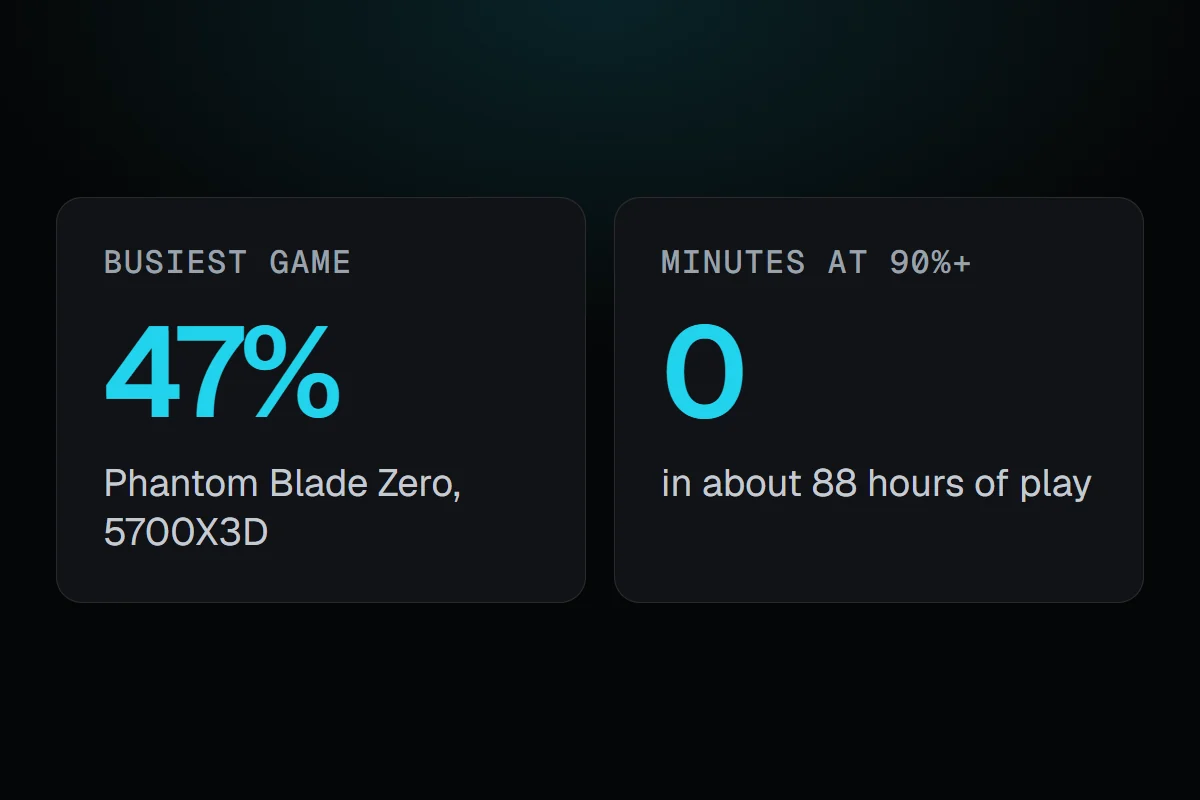
Across six games since 18 October, my Ryzen 7 5700X3D averaged between 13% and 47% busy. In about 88 hours of play it never reached 90% in a single minute. The highest minute was 87%, in Phantom Blade Zero. That's what normal CPU usage while gaming looks like on a current 8-core processor, and it isn't like the GPU, which in the same game sat near 100% most of the time.
How RigSight caught it
RigSight records the CPU's usage every minute, for the whole PC and for each app, next to the frame rate and the game in front. That's how I can see not only how busy the CPU was, but whether the game or something else made it busy.
When stutters bunch up, five or more within 15 minutes, and you open the play frame by frame, RigSight checks what else was going on. If another app used 20% of the CPU or more there, and at least twice what it used in the rest of the play, it names that app as busy in the background. On the Games page, a game whose GPU rarely or never reached full load gets the line that something else sets the pace, most likely the CPU. RigSight is free and open source.
Normal CPU usage while gaming
Here's what each game did on my 8-core, 16-thread 5700X3D.
- Phantom Blade Zero averaged 47%, with its busiest minute at 87%.
- REMATCH averaged 45%.
- Dota 2 averaged 34%.
- Crimson Desert averaged 28%, with the GPU at full load nearly the whole time.
- Risk of Rain 2 averaged 24%.
- Slay the Spire 2 averaged 13%.
With nothing much running, the same CPU sits around 7%. A CPU with fewer cores reads higher in the same game, because the same work is spread over less. A 4-core CPU at 70 or 80% in a modern game isn't unusual.
Is 100% CPU usage normal while gaming?
Not usually, and this is where the CPU and GPU differ. A GPU at 99% is doing its job. Most games can't spread their work evenly over every core, so a CPU at 100% for minutes at a time usually means something extra is going on.
- A background app is busy, like a browser, a launcher downloading or installing, an antivirus scan or cloud sync.
- The CPU has few cores for the game, so the game alone fills it.
- The game is building shaders, often the first time you play after a game or driver update. That passes.
- Something is stuck, like a process using a full core in a loop.
A CPU at 100% leaves nothing for the moments a game needs a little more, so it often comes with stutters.
Low CPU usage can still hold the frame rate back
Total CPU usage is the average of every core. Many games do most of their work on one main thread. If that thread fills one core, the game waits for it, even while the total reads 25%. My Risk of Rain 2 sessions are a good example to look at, with the CPU 24% busy and the GPU only 55% busy at about 151 FPS. Something other than the GPU set that pace, the CPU or a frame limit.
To check, open Task Manager's Performance tab, click CPU, right-click the graph and choose Change graph to > Logical processors. One or two cores near the top while the rest idle is what a main thread looks like.
How to fix high CPU usage while gaming
- Open Task Manager with Ctrl + Shift + Esc while the game runs, sort Processes by CPU, and close anything busy that isn't the game.
- Pause launcher downloads, cloud sync and browser video while you play.
- Give it a second session after a game or driver update, in case it was building shaders.
- Use the Balanced power plan, or Best performance under Settings > System > Power & battery, and play laptops on the charger.
- Update the game, the chipset driver from AMD or Intel, and Windows.
- Lower the settings that lean on the CPU, such as crowd or unit density, view distance, physics and shadows' draw distance.
- Check the CPU's temperature. A CPU that gets too hot slows itself. Normal CPU temperature while gaming has the numbers.
Your next step is to watch CPU and GPU usage together in a game that feels slow. A GPU near 100% means the CPU is fine. A GPU well below that, with no frame limit, means the CPU or the game sets the pace, so start with the list above. Normal GPU usage while gaming covers the GPU side.
Questions people ask
Is 100% CPU usage normal while gaming?
Not on most PCs. Games rarely use every core fully, so a CPU pinned at 100% usually means a background app is busy, the CPU has few cores for that game, or something is wrong like a stuck process. Short spikes while a game loads or builds shaders are fine.
What is normal CPU usage while gaming?
It depends on the game and the CPU. On my 8-core Ryzen 7 5700X3D it ranged from 13% in Slay the Spire 2 to 47% in Phantom Blade Zero. A 4-core CPU in the same games would read much higher.
Why is my CPU usage low but the CPU is still the bottleneck?
Total CPU usage averages every core. A game whose main thread fills one or two cores can be held back while the total reads 25 or 30%. Look at the per-core graphs in Task Manager, or at GPU usage. A GPU well below 95% with no frame limit points at the CPU.
How do I fix 100% CPU usage while gaming?
Close background apps, especially browsers, launchers that download, and cloud sync. Check Task Manager for anything busy that isn't the game. Update the game and the chipset driver, use the Balanced power plan, and lower settings that lean on the CPU, like crowd density, view distance and physics.