
PC problems · Temperatures
VRAM temperature while gaming, and what's normal for GPU memory
My RTX 3080 Ti's memory averaged 78°C over about 100 hours of heavy gaming and never went above 84°C. What VRAM temperature is normal, where it gets too hot, how to check it, and how to bring it down.
The short answer
VRAM temperature, also called GPU memory or memory junction temperature, is often 70 to 90°C while gaming. Cards with GDDR6X memory run hotter, and RTX 3080 and 3090 cards are reported to slow their memory near 110°C. Readings that stay above 100°C are worth fixing with better airflow or new thermal pads.
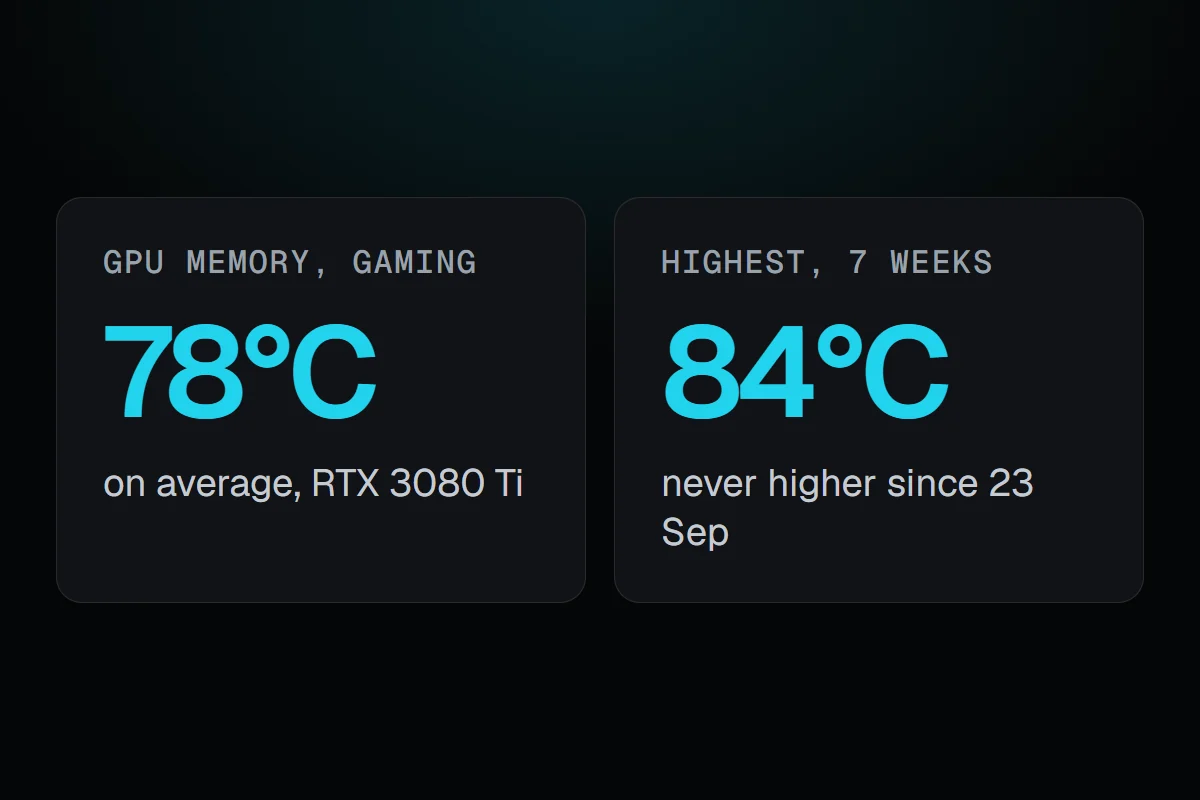
Since 23 September, RigSight has recorded my RTX 3080 Ti's memory temperature every minute. In about 100 hours of heavy gaming, with the GPU 80% busy or more, the memory averaged about 78°C. The highest it reached was 84°C, on 30 September in a game that kept the GPU 99% busy. That card uses GDDR6X, the memory known for running hot, so I expected worse. Here's what VRAM temperature is normal while gaming, where it gets too hot, and how to check yours.
How RigSight caught it
RigSight records three GPU temperatures each minute, the core, the hot spot and the memory, and keeps the highest of each minute so a short peak doesn't get averaged away. On the Temperatures page, GPU memory has its own line next to the others. You can also put it in the taskbar, the overlay, a widget or a dashboard from its row on All sensors.
Seeing it next to the core is what makes the number useful. In those heavy minutes my GPU core averaged 69°C and the memory 78°C, so the memory ran about 9° above the core. With the GPU nearly idle, the core sat around 48°C and the memory around 53°C. In the heavy minutes, the memory's highest stayed between 68 and 84°C, and none reached 85. RigSight is free and open source.
What VRAM temperature is normal
VRAM is the GPU's own memory, the chips around the GPU on the card. They get warm because games keep them busy, and they sit under the same cooler as the GPU, often with less of it touching them. That's why memory usually reads warmer than the core.
- Somewhere around 70 to 90°C while gaming is common for many cards.
- GDDR6X cards, like the RTX 3080, 3080 Ti, 3090 and 3090 Ti, run hotter. Reviewers measured an RTX 3080 Founders Edition at about 102°C in a heavy game at 4K, and 3090 owners report the 90s and 100°C.
- Idle memory is usually in the 40s to 50s.
The number depends on the card's cooler, the case's airflow and the room, so two owners of the same card can see 15° apart.
VRAM temperature max, and when it's too hot
For GDDR6X, Tom's Hardware reported that RTX 3080 and 3090 cards only slow their memory at about 110°C. The memory's rated range is often quoted up to 95°C, a little higher in some readings of Micron's sheets, and the sensor reads the hottest spot inside the chip, so the two numbers aren't measured the same way.
A practical line is this. In the 80s and low 90s, nothing to do. Staying above 100°C for long sessions is worth fixing, even before anything slows down, because heat over years is what wears parts. Near 110°C the card is protecting itself.
How to check GPU memory temperature
Task Manager shows the GPU's temperature, not its memory's. For memory you need a tool that reads the card's own sensor.
- Install HWiNFO or GPU-Z, both free.
- In HWiNFO, open Sensors and find your GPU. Look for GPU Memory Junction Temperature. In GPU-Z, open the Sensors tab and look for Memory Temperature.
- Play your heaviest game for at least 20 minutes, then read the maximum, not the current value.
Not every card reports it. Many older and smaller cards have no memory sensor, so the line is missing.
How to lower VRAM temperature
- Improve the case's airflow first. Make sure front fans pull air in and the back and top fans push it out, and clean dust off filters and the GPU's fins.
- Raise the GPU's fan curve in MSI Afterburner or your card maker's tool. Memory often follows the fans more than the core does.
- Cap the frame rate a little below your monitor's refresh rate. Fewer frames means less work for the memory.
- Lower the memory clock if you overclocked it.
- On an older card, new thermal pads on the memory can drop it a lot. This means opening the card, which can affect its warranty, so check that first or ask the maker.
Your next step is to check your memory's highest reading after a long game. If it's in the 80s or low 90s, leave it alone. If it stays above 100°C, start with airflow and the fan curve. For the GPU chip itself, see normal GPU temperature while gaming and GPU hot spot temperature.
Questions people ask
What is a normal VRAM temperature while gaming?
Often somewhere between 70 and 90°C. Memory usually runs warmer than the GPU core next to it. GDDR6X cards like the RTX 3080 and 3090 can read in the 90s and close to 100°C in heavy games and still work as designed. My RTX 3080 Ti averaged 78°C.
What is the max VRAM temperature?
It depends on the memory. GDDR6X is commonly reported to slow itself at about 110°C, and Micron's rated range for it is often quoted up to 95°C or a little more. Treat readings that stay above 100°C as too hot, even if nothing slows down yet.
How do I check GPU memory temperature?
Task Manager doesn't show it. Free tools like HWiNFO and GPU-Z show it on cards that report it, often as Memory Junction Temperature or Memory Temperature. RigSight records it every minute as GPU memory, so you can look back at a whole session.
Is GPU memory temperature the same as hot spot?
No. The hot spot is the warmest point on the GPU chip itself. Memory temperature is the memory chips around it. Both run above the core temperature, and each has its own limit.