
PC problems · FPS and games
What to upgrade in my PC first? My RAM upgrade, before and after
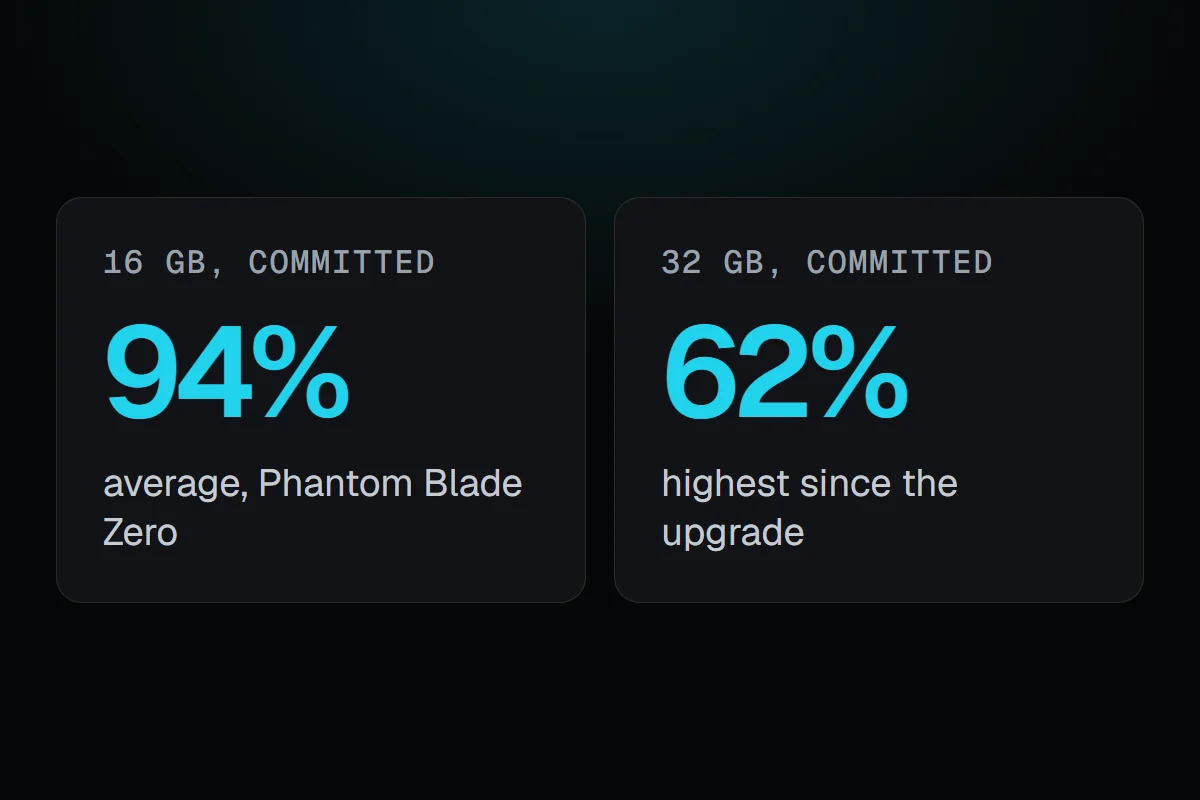
I went from 16 to 32 GB of memory on 14 November. Windows' committed memory dropped from 94% in my heaviest game to never above 62%, but Dota 2 ran about the same. How to find what to upgrade in your PC first, from what it already does.
The short answer
Upgrade the part your games run out of. If the GPU sits at 95% or more in your games, a faster GPU gives more frames. If the GPU waits well below that with no frame limit, look at the CPU. If Windows' committed memory gets near its limit, add RAM. Check your own games before you buy.
On 14 November I took my PC from 16 to 32 GB of memory. In the two weeks before, Windows' committed memory, what apps have asked for against the limit of memory plus the page file, reached 90% or more in 2,106 minutes, and averaged 94% while I played Phantom Blade Zero. Since the upgrade it has averaged 45% and never gone above 62%. But in Dota 2, the one game I played on both sides, the frame rate went from 203 to 208 FPS. Barely a change. That's the whole question of what to upgrade in my PC first, in two numbers. An upgrade helps where the PC was running out, and only there.
How RigSight caught it
RigSight records the CPU, GPU and memory every minute while you play, so the answer is already in your history before you shop. Three readings point at the part to upgrade.
- GPU load. On the Games page, each game's Can it run better? card says how often the GPU was at full load, 95% busy or more. Most of the time means the GPU is the limit.
- When the GPU rarely or never reaches full load and there's no frame limit, the same card says something else sets the pace, most likely the CPU.
- Committed memory. When stutters bunch up while it's at 90% or more, RigSight names that as "while Windows was nearly out of memory". Since 1.13.0, the Memory page also says when RAM was 85% full or more today, and which apps held the most then.
The Timeline lists the upgrade itself, mine as "Memory changed to 32 GB", so you can compare before and after. RigSight is free and open source.
What to upgrade in my PC first, from my own history
- The GPU, an RTX 3080 Ti, was at full load 87% of the time in Phantom Blade Zero, and 89% in Crimson Desert. In those games, it was the limit.
- The CPU, a Ryzen 7 5700X3D, averaged 13 to 47% across my games and never reached 90% in any minute. Nothing pointed at it.
- Memory was the one that ran out. 16 GB with my usual apps open left Windows' committed memory near its limit for hours.
The after side so far is a few days and mostly other games. Phantom Blade Zero, the game that pushed memory to 99%, I haven't played since, so it's too soon to say what the upgrade did there. Dota 2 never got near the limit, at 85% at most, which is why more memory changed little in it. Its 1% low went from 102 to 105 FPS, and it didn't stutter less.
Should I upgrade my CPU or GPU first?
Play the games you care about with GPU usage on screen, from an overlay or Task Manager.
- GPU at 95% or more most of the time. A faster GPU gives more frames. This is the usual answer for gaming PCs.
- GPU well below that, with no frame limit or V-Sync, and the frame rate lower than you want. The CPU or the game sets the pace. A new GPU would wait like the old one. Normal CPU usage while gaming explains why a CPU can be the limit at 30%.
- Both fine, but stutters or slow alt-tabs. Look at memory next.
Is it worth upgrading from 16GB to 32GB RAM?
Open Task Manager's Memory page while you play your heaviest game, with the apps you usually keep open. Committed shows two numbers. When the first gets close to the second, Windows is nearly out of memory and starts leaning on the page file, which is far slower. Then 32 GB helps, as it did on my PC. When it stays well below, more memory won't change your frame rate. Normal RAM usage while gaming has more.
Buy memory that matches what's in the PC, same type and speed, or replace all of it as a matched kit. Check the motherboard's supported list, and turn on XMP or EXPO in the BIOS afterwards.
Before you buy on Black Friday
- Decide the part from your own games first, then look at deals. A discount on the wrong part is still the wrong part.
- Check the price history in a price tracker. Some Black Friday prices are the usual price with a new label.
- Check it fits. For a GPU, the case's length and the power supply's wattage and cables. For memory, the type and the slots.
- Note how your PC runs now, so you can tell what the upgrade changed.
Your next step is to play your two most played games with GPU usage and memory on screen this week. Whatever runs out first is what to upgrade, and once it's in, how to test a new GPU or PC covers the first week.
Questions people ask
What to upgrade in my PC first, the CPU or the GPU?
Check GPU usage in the games you play most. At 95% or more, the GPU is the limit, so a better GPU helps first. Well below that with no frame cap, the CPU or the game sets the pace, and a GPU upgrade gives little. Most gaming PCs gain the most from the GPU.
Is it worth upgrading from 16GB to 32GB RAM?
If Windows' committed memory gets close to its limit while you game, yes. On my PC it averaged 94% in my heaviest game before the upgrade and never went above 62% after. In games that weren't near the limit, like Dota 2, the frame rate barely changed.
Is 16GB RAM enough for gaming?
For many games, yes, but with little room if you keep a browser and other apps open. Big new games can push a 16 GB PC close to full. Check Committed in Task Manager while you play your heaviest game.
Is Black Friday a good time to buy PC parts?
Often, for parts that are already a generation old, like memory, SSDs and last year's GPUs. Compare the price with its usual over the last months in a price tracker, since some deals are the normal price with a new label.